

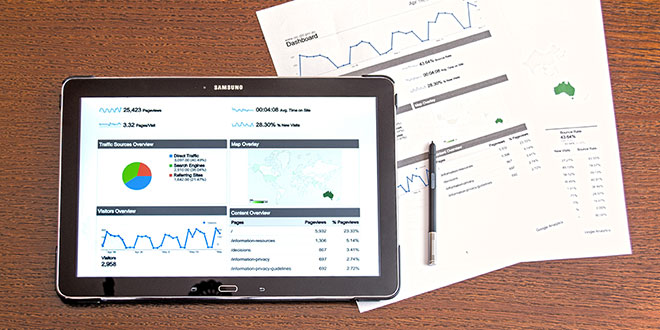
The secret is using reports to get the best out of Google Analytics, so you can better understand how well your site is optimised for mobile, identify referring sites that provide the most value, and which content delivers business or non-profit value.
Google Analytics provides some excellent preconfigured default reports to work with out of the box. However, the ability to customise and build your own reports from scratch is what allows website owners to gain the most valuable insights from the tool.
There are templates for the custom reports Google Analytics experts find most valuable and they make them available for anyone to install ing the Solutions Gallery. This a huge time-saver, as well as being an excellent way to get ideas for reports you might not otherwise think of.
In this article, I’ll provide you with a roundup of 12 free custom reports that most website owners will want in their Google Analytics toolbox.
Several guides on how to set up custom reports have already been published, so I’m going to skip the basics and dive right into my list of must-have custom reports.
Let’s get started!
Reports for site performance and acquisition
1. Browser Report
As illustrated by Conversion XL, one of the most common money leaks on websites is incompatibility with certain browsers.
- Use browser report to show conversions per browser.
- Segment report by device (mobile, desktop, tablet – to prevent skewing numbers).
Search Engine Watch links to a pre-made browser report in 7 time-saving Google Analytics custom reports.
- If you don’t sell anything on your site, exchange Revenue and Unique Purchases for conversion and goal value related metrics.
- Remember to segment report by device.
2. Visitor Acquisition Efficiency Analysis Report
Author Avinash Kaushik’s goal with this report was to organise key metrics, revealing the efficiency and performance of each stream of traffic to a website.
- Use Visitor Acquisition Efficiency Analysis Report to see:
- total sessions
- unique users
- new users
- goal conversion rate
- goal value per session
- All organised by source and medium.
Visitor Acquisition Efficiency Analysis Report
3. Customer Behaviour Report
Peter van Klinken created this report as part of a contest (organised by Avinash Kaushik).
- Use Customer Behaviour Report to reveal how behaviour varies between new and returning users, comparing:
- overall traffic
- conversion patterns
- event completion
4. Mobile Performance Report
- Use Mobile Performance Report to understand how well your site is optimised for mobile.
- Find out where you need to make improvements.
- Part of a bundle of dashboards and reports created by Avinash Kaushik.
5. Site Diagnostics: Page Timing Report
Rachelle Maisner (Account Manager at Digitaria) was invited to contribute a list of her top custom reports to the Google Analytics Blog. This report instantly reveals problematic pages that need attention.
- Use Page Timing Report to discover which pages are taking extra long to load as well as which have an uncomfortably-high bounce rate.
- Switch from “data” table view to “comparison” table view to compare load time to bounce rate (allows viewing the bounce rate for each page against site average).
Reports on content performance
6. Hours & Days Report
Dan Barker‘s Hours & Days Report is a powerful tool to guide experiments with blog post times. There are 4 tabs in this report.
- Use Hours & Days Report to show you which day of the week and at what time of the day your website receives the most traffic.
- Set a large time span (e.g. 2 months) to see which blog post times work best.
Hours & Days Report Ecommerce Hours & Days Report
7. Referring Sites Report
Anna Lewis‘ Referring Sites Report is great for identifying the referring sites that provide the most value.
- Use Referring Sites Report to view which referring sites are generating the most traffic.
- Gain insights into how they contribute to goal conversions.
8. Content Efficiency Report
Avinash Kaushik created this report to focus on key metrics to help identify which pages are performing at their best and which need a little optimisation. It’s especially useful for sites that produce a lot of content.
- Use Content Efficiency Report to find out:
- which content is most engaging
- which subject matter experts should you hire more of
- what type of content (videos, demos, pictures, reviews etc.) do visitors value more
- which content delivers business or non-profit value
9. Traffic Acquisition from Social Media Report
- Use Traffic Acquisition from Social Media Report to see:
- which social media channels are driving the most traffic to your site
- whether that traffic translates into tangible results for your business
- Metrics such as Goal Conversion Rate and Goal Value will tell you which social media sites you should pay more attention to.
Traffic Acquisition from Social Media Report
Reports for SEO
10. SEO: Referring Pages Report
This report comes with the Google Analytics starter bundle and it’s a great way to weigh up the effectiveness of your link building efforts and track the top referring links to your website.
- Use “Referral Path” column to tell you exactly which page your links are coming from (not just which website).
- Bounce Rate and Average Session Duration indicate which links are high quality.
- Per Session Value tell you which links are generating real business results.
11. SEO Insights for Google Organic (not provided) Report
- Use Google Organic Insights Custom Report to gain insights into “(not provided)” keywords.
- Show landing page URLs with page titles to get a sense of the general keyword themes that people are searching for on Google before arriving at your site.
SEO Insights for Google Organic (not provided) Report
12. Keyword Analysis Report
I found this report via Econsultancy. It lists your most popular keywords (excluding the ones encrypted by Google, of course).
- Use Keyword Analysis Report to measure:
- most popular keywords
- visitor metrics
- conversion rates
- goal completions
- page load time
- Tab measuring engagement available for each keyword and a tab showing revenue metrics.
Summary
Installing custom reports templates and personalising them even further according to your needs saves you time and reveals insights into your website performance. Econsultancy provides a roundup of 10 more templates for measuring ecommerce conversions, PPC keywords, and content impact.
10 more valuable Google Analytics custom reports
Last week I published a list of ready-made custom reports for Google Analytics, including ways to measure links, PPC campaigns, sales by time of day and more. The reaction was very positive, and in the comments and related G+ discussion, more great custom reports were suggested, so I’ve rounded them up here.

Edward Solomon has over 30 years’ experience in project management, technical education, computer networking, web design and development and is a Digital Business Consultant for PENNInk Productions Ltd.